Ever had that sinking feeling? A critical application slows to a crawl in production. Users are complaining. You’re staring at logs, but they tell you nothing. You wish you could just ask the application, “What’s taking you so long?” Debugging is out; you can’t just halt a live system. This is where commercial giants like New Relic or Datadog wave their magic wands and produce beautiful dashboards showing you exactly which methods are the culprits.
I’ve seen developers wrestle with these black boxes. But what if I told you that the “magic” isn’t magic at all? It’s a standard, if somewhat hidden, feature of the JVM. Today, on day 90 of your Java journey, we are going to explore the keys to this kingdom. We’re going to build our own Java Agent.
We’ll create a simple, powerful tool that can attach to any Java application and measure method execution times, all without touching a single line of the target application’s source code.
But before that let us understand what is an APM.
What is an APM
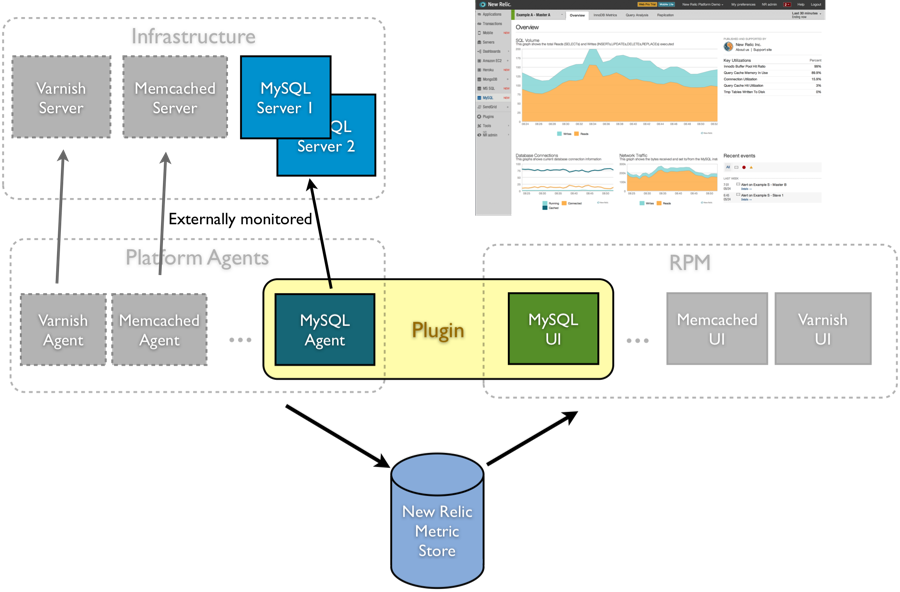
APM stands for Application Performance Monitoring. It’s a system that helps monitor, manage, and optimize the performance of software applications, ensuring they are available and performant for users
Now let us move on to making a very simple Agent which can monitor the timing of the method execution. But before that let us understand what is a java agent?
What is a Java Agent? Not AI but The Spy Inside
Think of a Java Agent as a spy you send into the JVM. It’s a special JAR file that the JVM gives special privileges to. Its primary mission, using the java.lang.instrument API, is to intercept classes as they are being loaded. Before a class even gets a chance to run, our agent can step in and rewrite its bytecode on the fly.
There are two ways to deploy your agent:
Static Attachment:
You specify the agent at startup with the -javaagent flag. This is like having your spy embedded from the very beginning.
Dynamic Attachment:
You attach the agent to an already running JVM. This is the “emergency extraction” of diagnostics, more complex but incredibly powerful.
We’ll focus on the static approach today. It’s the perfect way to learn what is a java agent.
The Agent’s Entry Point: The premain Method
Just as your application has a main method, our agent has a premain method. The name says it all: it runs before main. This is our beachhead. The JVM calls this method and hands us the most important tool in our arsenal: the Instrumentation object. This object is our license to modify code.
Let’s look at the skeleton of our agent.
| |
For the JVM to recognize this as an agent, we need to add a special entry to our JAR’s META-INF/MANIFEST.MF file. We’ll let Maven’s maven-jar-plugin handle this configuration for us. We have another full section about what should this manifest file do and how to write it, a little bit later.
| |
The Right Tool for the Job: Byte Buddy
Now for the fun part: rewriting bytecode. We could, in theory, do this manually with a low-level library like ASM. That’s like trying to assemble a watch from raw metal—incredibly difficult and error-prone. We’re going to work smarter. We’ll use Byte Buddy, a brilliant, modern library that makes bytecode manipulation feel less like arcane magic and more like writing a fluent, readable builder.
First, add the Byte Buddy dependency to your agent’s pom.xml.
| |
Our plan:
- Mark the Target: We’ll create a custom @Monitor annotation to mark the methods we want to time.
- Define the Action: We’ll create an “advice” class that holds the timing logic we want to inject.
- Execute the Mission: We’ll tell Byte Buddy to find all methods marked with @Monitor and wrap them with our timing logic.
First, the @Monitor annotation. This can live in a separate shared JAR, but for simplicity, we’ll define it within the agent project.
| |
Next, our “advice”. This is the code that Byte Buddy will weave into the target methods. The @Advice annotations make this incredibly intuitive.
| |
Finally, we update our premain method to put Byte Buddy to work.
| |
This beautiful, fluent code is our mission directive. It tells Byte Buddy to find any method, anywhere, that has our @Monitor annotation and wrap it with the logic from TimerAdvice.
Attaching Agent To The Target Application
Now, let’s create a simple application to test our agent on. This is a completely separate project.
| |
Notice how clean this is. The application code only knows about the @Monitor annotation. It has no idea its methods are about to be timed by an external agent.
The Grand Finale: Running with the Agent
- Build the Agent: In your agent project, run mvn clean package. This creates your agent JAR (e.g., agent-1.0.jar).
- Build the App: Compile your MonitoredApp.
- Launch: Run the application using the -javaagent flag.
The Agent Manifest: Your License to Spy
The agent should have a manifest file where it is described. The manifest file (META-INF/MANIFEST.MF) is what tells the JVM how to handle your agent JAR. Here’s what it should contain:
Manifest-Version: 1.0
Premain-Class: com.example.javaagent.MyTimingAgent
Agent-Class: com.example.javaagent.MyTimingAgent
Can-Redefine-Classes: true
Can-Retransform-Classes: true
Boot-Classpath-Append: byte-buddy-1.14.16.jar
Key entries explained:
Premain-Class: The class containing thepremainmethod for static attachmentAgent-Class: The class containing theagentmainmethod for dynamic attachment (optional for our example)Can-Redefine-Classes: Allows the agent to redefine classesCan-Retransform-Classes: Allows the agent to retransform classes that have already been loadedBoot-Classpath-Append: Adds required dependencies to the bootstrap classpath
Maven will automatically generate this manifest when you build with the configuration we showed earlier in the pom.xml.
| |
When you hit enter, you’ll see the magic happen.
Agent deployed. Starting transformation...
Transformation complete. Agent is active.
--> Doing some important work...
--> Work finished.
Method 'public void MonitoredApp.doWork() throws java.lang.InterruptedException' took 202 ms
--> Doing even more work...
--> More work finished.
Method 'public void MonitoredApp.doMoreWork() throws java.lang.InterruptedException' took 503 ms
--> This work is not being monitored.
---
...
There it is. Our agent successfully intercepted the annotated methods and reported their execution time, proving that the “magic” of APM is well within your grasp. You’ve just built a foundational tool that professional engineers use to keep complex systems running smoothly.
Welcome to the world of Java instrumentation. The spy is in.